How to Use monday.com WorkCanvas to Plan and Execute Projects Visually
Project teams lose good ideas in scattered chats, disconnected docs, and sticky notes stuck around a desk. Poor visual planning causes missed milestones. Tasks get stuck in brainstorming and never turn into action. monday.com WorkCanvas fixes this by combining a whiteboard with live boards inside one workspace. Teams sketch a workflow, then sync tasks through two-way integration, without touching a second tool. This guide covers how to set up a monday.com WorkCanvas account, use templates, and sync items with monday boards to actually execute projects, not just plan them.
What Is monday.com WorkCanvas
monday.com WorkCanvas is a built-in whiteboard inside monday.com made for visual project work. Teams sketch ideas, map workflows, and organize projects on one shared canvas. A monday.com WorkCanvas account links directly to your monday.com account, so canvas elements connect straight to live boards. Templates make this faster still, giving teams a starting layout instead of a blank screen.
Key Features That Make monday.com WorkCanvas Useful for Project Planning
The toolbar on monday.com WorkCanvas comes loaded with widgets built for visual planning. A left-hand panel on the side of your canvas holds shapes, sticky notes, and text boxes ready to use. Items on your canvas link directly with monday boards, so project details stay synced across both spaces. Update a task on the canvas, and the change reflects on the linked board instantly.
Visual Boards, Sticky Notes, and Freeform Tools
Sticky notes, shapes, and freeform drawing tools help teams capture ideas fast during planning sessions. They turn loose thoughts into clear visuals that shape project direction from day one.
Direct Connection to monday.com Boards and Items
Any element on your canvas can link straight to a board item for tracking. Two-way sync keeps canvas updates and board items aligned, so nothing falls out of view.
How to Set Up and Use monday.com WorkCanvas Step by Step
Open your monday.com account and create a new canvas from there. Pick a workspace, name the canvas, and start with a blank board. Invite team members and set permission levels so the right people can collaborate with your team. Add sticky notes, shapes, and text boxes, then start mapping out goals and milestones.
Creating a Canvas and Inviting Your Team
Setting up a monday.com WorkCanvas account takes a few clicks from your existing monday.com workspace. Send an invite link, and access is controlled by the permission settings you set.
Mapping Milestones and Building a Visual Roadmap
Place milestones on the canvas and arrange them into a clear roadmap. Deadlines, dependencies, and priorities become visible to the whole team almost instantly.
Turning Sticky Notes into Trackable Tasks
One click turns a sticky note into a trackable task. Assigned tasks sync straight to monday boards, so execution stays visible for the whole team.
Using monday.com WorkCanvas to Execute, Not Just Plan
Most planning tools stop at the whiteboard. monday.com WorkCanvas doesn’t. Teams assign tasks straight from canvas elements to real owners. Each task carries a deadline, an owner, and a direct link to its board item. Updates on the canvas sync to the board in real time. Planning sessions turn into active execution, without a single tool switch.
Assigning Owners, Deadlines, and Syncing with Live Boards
Assign an owner and deadline on the canvas, and it creates a linked task on the monday.com board. Two-way sync keeps that task current on both ends, with no manual updates needed.
monday.com WorkCanvas vs Traditional monday.com Boards
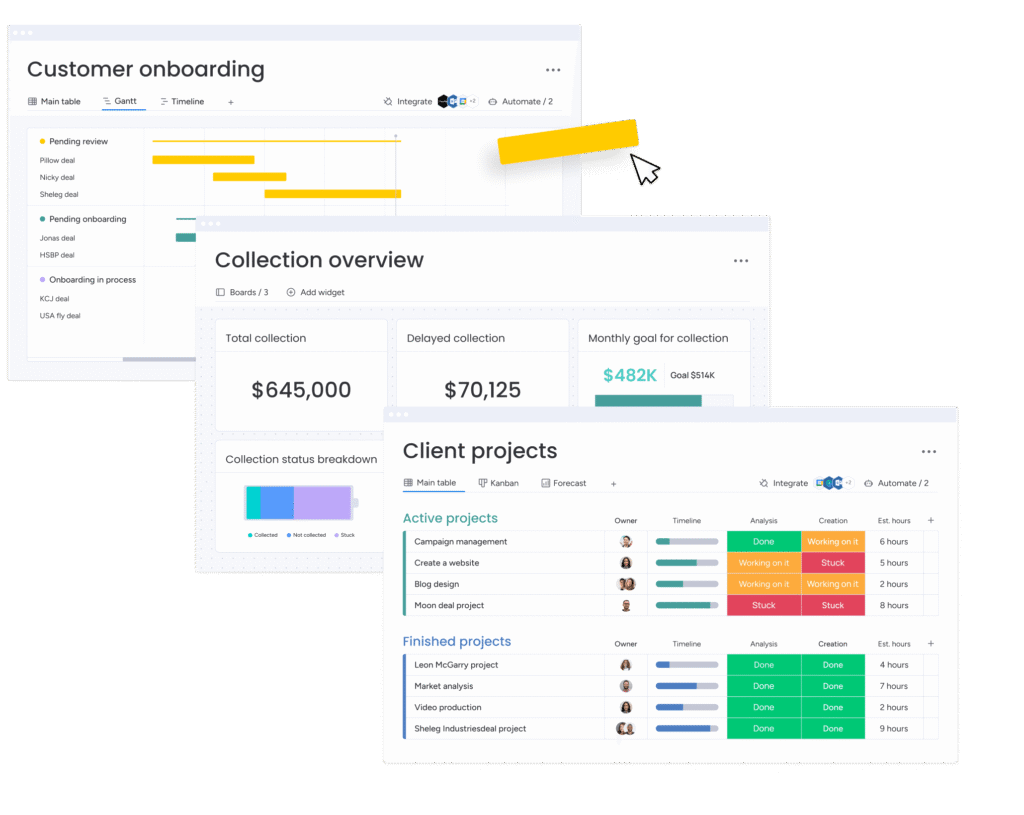
Monday boards run on structured rows and columns, built for tracking daily progress. monday.com WorkCanvas is open and freeform, built for brainstorming and mapping ideas before they’re ready for a board. Most teams start on a canvas, then move finalized tasks onto boards for execution. Two-way sync connects both, so nothing gets lost moving from planning to doing.
Best Practices for Getting the Most Out of monday.com WorkCanvas
A few habits separate teams that get real value from monday.com WorkCanvas from teams that abandon it after week one:
Keep each canvas focused on one project to avoid clutter
Link canvas items to monday.com boards right away for accurate tracking
Use frames to separate sprints, phases, or topics on busy canvases
Save recurring layouts as templates instead of rebuilding from scratch
Check billing and pricing details to pick a plan that fits your workspace size
Why UAE Teams Need the Right Setup, Not Just the Tool
monday.com WorkCanvas works well out of the box, but UAE businesses run on tighter dynamics than most: multicultural teams across time zones, Arabic and English workflows side by side, and compliance requirements that vary by sector. A construction firm in Dubai and a retail brand in Abu Dhabi don’t need the same board structure, permission setup, or automation logic. Getting monday.com WorkCanvas configured wrong wastes the very time it’s meant to save.
This is where working with a leading monday.com Platinum Partner in the UAE makes the difference between a whiteboard nobody uses and a system that actually runs your projects. Meta Lean, named Innovative Partner of the Year 2024, sets up monday.com WorkCanvas and monday boards around how your team actually works — not a generic template. That means correct permission structures, boards mirroring your real workflow, and canvases that stay useful past the first month.
Conclusion
monday.com WorkCanvas turns scattered planning into one visual workspace built for real action. Sketch a workflow on the canvas, then sync it straight to monday boards. One account, one set of permissions, one system — no separate billing, no extra logins. The toolbar and widgets on the left side of the canvas keep templates and planning fast. Two-way sync keeps every sticky note, task, and update visible across the workspace. Teams that set this up properly cut delays and get more done, faster. For UAE businesses, working with a leading monday.com Platinum Partner like Meta Lean means monday.com WorkCanvas gets configured around your workflow from day one, not left to trial and error.