Menu
Table Of Contents
monday.com crm whatsapp integration
Many businesses lose leads because teams manually track WhatsApp conversations across scattered CRM systems. Research shows automated CRM communication significantly improves response time and customer engagement. Integrating WhatsApp with monday.com centralizes chats, workflows, and automation inside one platform. Tools like Zapier or API connections sync WhatsApp messages with monday.com CRM workflows automatically.
Consequently, teams automate followup communication, streamline WhatsApp conversations, and send automated messages directly from monday.com boards. This article provides a complete guide to monday.com CRM WhatsApp integration. It explains how to integrate WhatsApp, automate workflows, send messages, and manage CRM communication seamlessly.
What is monday.com CRM WhatsApp Integration
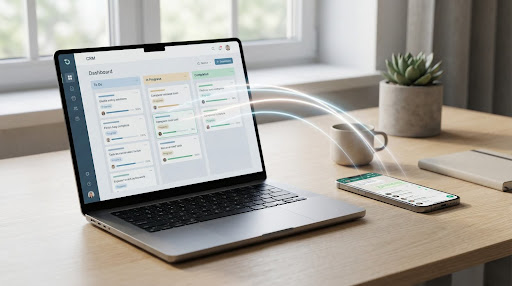
monday.com CRM WhatsApp integration connects WhatsApp communication with a CRM workflow within monday.com boards. Consequently, teams manage customer conversations, automate messages, and track updates inside a single platform. This integration empowers project management teams and sales pipelines by syncing WhatsApp chats, CRM data, and project workflows seamlessly.
Role of monday.com in Modern CRM and Workflow Management
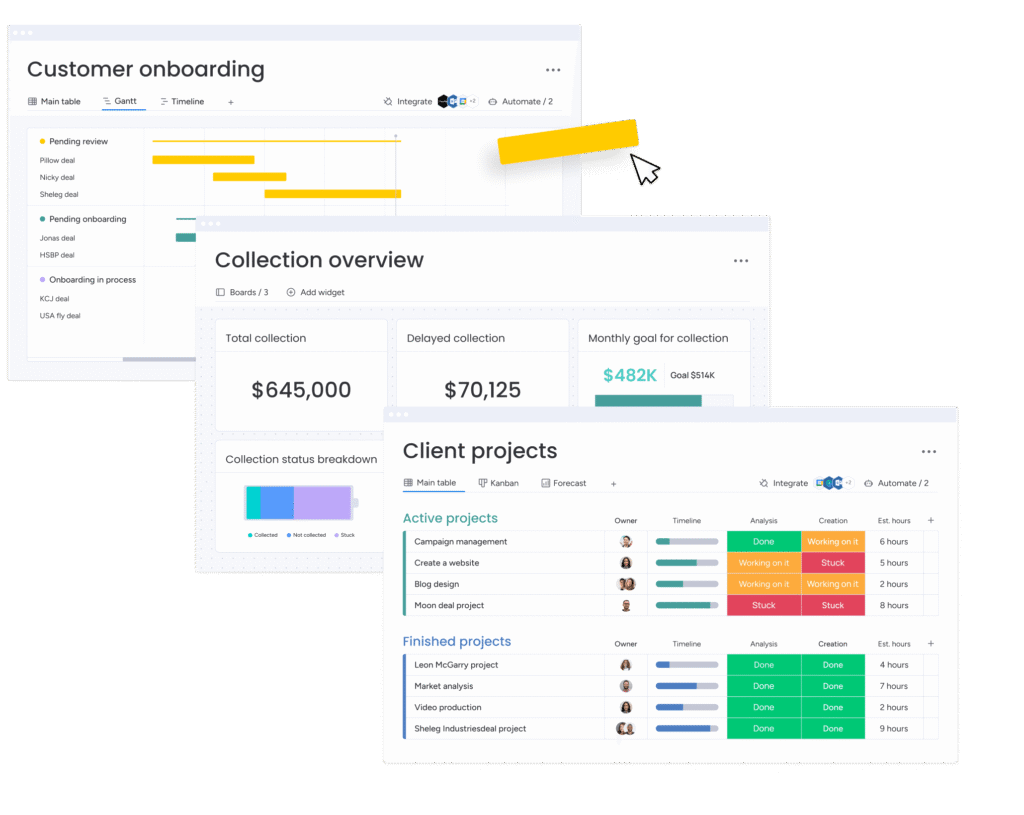
monday.com works as a management platform that organizes CRM data, workflows, and project management activities. Additionally, teams using monday.com boards track leads, manage client interactions, and monitor project timelines. Consequently, monday.com CRM supports teamwork and structured workflow automation across projects and customer support operations.
Why Businesses Integrate WhatsApp with monday.com CRM
Businesses integrate WhatsApp with monday.com because WhatsApp communication often drives customer inquiries and sales followups. Additionally, integration synchronizes WhatsApp conversations with monday.com CRM records automatically. Consequently, teams manage client touchpoints efficiently and reduce the need to manually track messages or inquiries.
How monday.com and WhatsApp Create a Seamless Communication Workflow
Integration between monday.com and WhatsApp synchronizes chats, updates, and automation triggers across workflows. Additionally, incoming WhatsApp messages can automatically create items within monday.com boards. Consequently, teams manage communication, project updates, and customer interactions seamlessly without switching between multiple tools.
Key Features of monday.com WhatsApp Integration
Key characteristics include:
- Automated WhatsApp messages trigger when board status changes inside monday.com workflows.
- WhatsApp chats sync directly with monday.com boards for centralized CRM communication.
- Teams manage multiple WhatsApp numbers and shared inbox communication within monday.com CRM.
- Integration enables sending template messages and automated followup notifications instantly.
Why Businesses Integrate WhatsApp with monday.com CRM
Businesses adopt monday.com and WhatsApp integration to streamline communication and automate CRM workflows efficiently. Furthermore, integration enables teams to send WhatsApp messages automatically when status changes occur. Consequently, organizations improve response time, track conversations, and manage projects and workflows within a single platform.
Benefits of Connecting monday.com with WhatsApp for Sales Teams
Benefits include:
- Sales teams send automated WhatsApp messages when leads move through sales pipelines.
- Teams manage client conversations directly inside monday.com boards.
- Integration reduces response time and improves followup communication with prospects.
Improving Customer Communication Through WhatsApp Chats in CRM
Customer support teams manage WhatsApp chats directly inside monday.com CRM records and project boards. Additionally, integration saves conversation history automatically within monday.com boards. Consequently, teams analyze customer interactions, manage support tickets, and maintain consistent communication workflows.
Automating WhatsApp Messages from monday.com Workflow
Automation allows teams to send WhatsApp messages when triggers occur inside monday.com workflows. For example, status updates or new tasks automatically send automated messages to customers. Consequently, workflow automation reduces manual followups and improves communication efficiency.
Syncing WhatsApp Conversations with monday.com Project Boards
Integration synchronizes WhatsApp conversations with project boards and CRM records automatically. Additionally, incoming WhatsApp chats can automatically create tasks or project items. Consequently, teams track communication and project updates simultaneously without switching applications.
Tools and Methods to Connect monday.com and WhatsApp
Businesses connect monday.com with WhatsApp using automation tools, APIs, or integration platforms. Tools like Zapier, Make.com, and TimelinesAI simplify workflow automation between platforms. Consequently, organizations integrate WhatsApp communication with CRM workflows and project management boards efficiently.
Using monday.com Integrations to Connect WhatsApp
monday.com integrations allow businesses to automate workflows between CRM boards and communication channels. Additionally, integration apps from the marketplace connect WhatsApp chats with monday.com boards. Consequently, teams manage customer communication and project data seamlessly.
Connecting WhatsApp Business with monday.com Using Automation Tools
Automation tools like Zapier or Make.com connect WhatsApp Business with monday.com without coding. Additionally, users create triggers such as status changes or new items inside monday.com boards. Consequently, the system automatically sends WhatsApp messages or updates CRM records.
Integrating WhatsApp with monday.com Through API and Webhooks
Developers integrate WhatsApp with monday.com using API connections and webhooks for advanced automation. Additionally, APIs connect CRM workflows with WhatsApp messaging services. Consequently, businesses automate notifications, followups, and project updates across systems.
Using WhatsApp Cloud API for Advanced CRM Messaging
The WhatsApp Cloud API enables scalable messaging automation between CRM platforms and WhatsApp Business accounts. Additionally, organizations send template messages and automated notifications through cloud APIs. Consequently, teams manage large-scale communication campaigns effectively.
Step-by-Step Guide to Integrate WhatsApp with monday.com
- Set Up monday.com CRM and Create a Project Board:Firstly, users create a monday.com account and configure a CRM project board for customer records. Additionally, teams organize contacts, tasks, and sales pipelines within the board in monday.com. Consequently, CRM workflows remain structured for automation and messaging integration.
- Connect WhatsApp Business Account for Integration:Secondly, users connect their WhatsApp Business account or WhatsApp Business number to the integration tool. Additionally, scanning a QR code often links WhatsApp accounts quickly. Consequently, CRM systems start syncing WhatsApp chats and communication data.
- Choose an Integration Tool or WhatsApp API Service:Thirdly, users select tools like Zapier, TimelinesAI, or Make.com to integrate monday.com with WhatsApp. Additionally, these tools configure automation triggers and actions between platforms. Consequently, workflows automatically sync messages, contacts, and CRM updates.
- Configure Workflow Automation Between monday.com and WhatsApp:Fourthly, users configure workflow automation rules that trigger WhatsApp messages from monday.com boards. Additionally, triggers may include status changes, new inquiries, or sales pipeline updates. Consequently, automated WhatsApp notifications keep clients informed instantly.
Automating WhatsApp Messages in monday.com CRM
Automation improves CRM communication by sending WhatsApp messages automatically based on workflow triggers. Additionally, automated messaging helps teams manage followups and project updates efficiently. Consequently, monday.com WhatsApp integration reduces manual tasks and improves response time significantly.
How to Send WhatsApp Message Automatically from monday.com
Teams configure automation rules that trigger when specific actions occur within monday.com boards. Additionally, automation tools send WhatsApp messages directly to customers or team members. Consequently, users send a WhatsApp message instantly after workflow updates.
Trigger WhatsApp Messages Based on CRM Workflow Updates
CRM workflow automation triggers messages when tasks update or leads move through pipelines. Additionally, teams configure automation conditions inside monday.com boards. Consequently, automated WhatsApp notifications inform clients about updates or project milestones.
Using Message Templates for Automated WhatsApp Communication
WhatsApp templates help businesses send structured messages quickly during CRM communication workflows. Additionally, template messages personalize followup notifications using monday.com data fields. Consequently, organizations maintain consistent communication with customers.
Send WhatsApp Notifications When Project Board Status Changes
Automation sends WhatsApp messages whenever board status changes inside monday.com workflows. Additionally, notifications inform clients about project updates or support responses. Consequently, teams improve transparency and collaboration across projects and workflows.
Managing WhatsApp Chats Inside monday.com CRM
Managing WhatsApp chats inside monday.com CRM helps teams track communication and client interactions effectively. Additionally, integration stores WhatsApp conversations directly inside CRM records and project boards. Consequently, organizations maintain organized communication histories for every project or customer.
Sync WhatsApp Chats with monday.com Project Boards
Integration synchronizes WhatsApp chats with specific boards inside monday.com CRM workflows. Additionally, new messages automatically update project boards and contact records. Consequently, teams track communication and project progress simultaneously.
Tracking Customer Conversations Inside CRM Records
CRM systems record WhatsApp conversations automatically as updates within project items. Additionally, teams analyze conversation history and followup actions. Consequently, support teams maintain clear communication records for managing client relationships.
Managing Sales Team Communication Through WhatsApp Integration
Sales teams manage WhatsApp conversations directly within monday.com CRM and project management workflows. Additionally, integration allows teams to send automated followups to prospects. Consequently, sales pipelines remain organized and responsive.
Centralizing Customer Messages with monday.com Workflows
Integration centralizes all WhatsApp communication within monday.com boards and CRM workflows. Additionally, teams collaborate through shared inbox functionality and unified message tracking. Consequently, businesses manage customer interactions efficiently within a single platform.
Common Use Cases for monday.com and WhatsApp Integration
- Lead Management and CRM Follow-Ups Through WhatsApp:Sales teams use integration to manage leads and followup communication automatically. Additionally, automation sends WhatsApp messages when prospects move through sales pipelines. Consequently, teams improve lead nurturing and response time.
- Customer Support and Real-Time Chat Management:Customer support teams handle WhatsApp inquiries and service requests directly inside monday.com CRM. Additionally, chat synchronization records every message inside support tickets. Consequently, support teams resolve inquiries faster and improve service quality.
- Sales Team Notifications and Automated Customer Messages:Integration sends automated WhatsApp notifications when new leads or project updates appear. Additionally, sales teams receive alerts instantly through messaging automation. Consequently, teams respond quickly and maintain strong client communication.
Best Practices for monday.com WhatsApp Business Integration
- Maintaining Organized CRM Workflows with WhatsApp Automation:Teams maintain structured workflows by configuring automation rules carefully within monday.com CRM boards. Additionally, automation triggers must align with project management workflows. Consequently, organizations avoid unnecessary messages and maintain efficient CRM communication.
- Creating Effective WhatsApp Message Templates:Effective WhatsApp templates standardize communication across sales pipelines and customer support operations. Additionally, template messages personalize content using CRM data fields. Consequently, teams send automated followups quickly and consistently.
- Monitoring Message Automation and CRM Performance:Businesses monitor automation performance to evaluate response time and communication efficiency. Additionally, CRM dashboards track message delivery and workflow triggers. Consequently, teams analyze automation performance and improve messaging strategies.
Challenges and Limitations of WhatsApp CRM Integration
- WhatsApp API Restrictions and Messaging Policies:WhatsApp Business APIs enforce messaging rules and template approval processes. Additionally, businesses cannot send promotional messages without approved templates. Consequently, CRM workflows must follow official messaging guidelines.
- Managing Message Templates and Automation Rules:Automation systems require proper configuration for template messages and workflow triggers. Additionally, incorrect mapping of CRM data fields can interrupt messaging workflows. Consequently, teams must monitor automation rules carefully.
- Avoiding Workflow Errors During Integration:Incorrect integration settings or API errors may interrupt automated messaging workflows. Additionally, teams must test automation triggers before launching CRM communication systems. Consequently, testing prevents message delivery failures.
Future Opportunities with monday.com CRM WhatsApp Integration
- Using Automation to Improve CRM Workflow Efficiency:Automation helps teams manage communication workflows and customer updates automatically. Additionally, automated messages improve response time and reduce manual followups. Consequently, businesses maintain efficient CRM communication processes.
- AI-Powered Messaging and Chat Automation:AI technology enhances chat automation by analyzing conversations and generating automated responses. Additionally, intelligent automation tools process CRM data to personalize messages. Consequently, organizations improve customer engagement and support operations.
- Scaling Customer Communication with WhatsApp Cloud API:WhatsApp Cloud API allows businesses to scale messaging automation across large customer databases. Additionally, API integration supports automated notifications and CRM workflows. Consequently, teams manage large communication volumes effectively.
Conclusion
monday.com CRM WhatsApp integration helps teams manage customer communication and project workflows within one platform. Integration enables teams to send WhatsApp messages automatically and sync conversations with CRM data. Additionally, automation tools like Zapier or API connections streamline workflows and reduce manual communication tasks. Businesses improve response time, manage followup communication efficiently, and track WhatsApp conversations directly inside monday.com boards. This integration strengthens CRM workflows, improves teamwork, and supports faster customer interactions. Companies that integrate WhatsApp with monday.com automate communication while maintaining organized project management processes. How will your team automate WhatsApp communication and CRM workflows using monday.com integration?
Frequently Asked Questions
You can integrate WhatsApp with monday.com using API services, Zapier, or automation tools. These tools sync WhatsApp messages and CRM workflows automatically.
Yes, automation triggers can send WhatsApp messages when workflow events occur. For example, status updates can trigger automated messages instantly.
Yes, a WhatsApp Business account is required for most CRM integrations. APIs and automation tools connect business accounts with monday.com workflows.
Tools like Zapier, Make.com, and API platforms connect monday.com with WhatsApp. These tools automate workflows and sync messages between systems.
Yes, integration tools sync WhatsApp conversations with monday.com boards automatically. Teams can track chats and manage followups within the CRM system.